Banner: DesignToCode
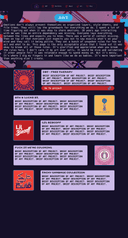
DesignToCode is a project about bridging the gap between design and implementation using AI-assisted workflows.
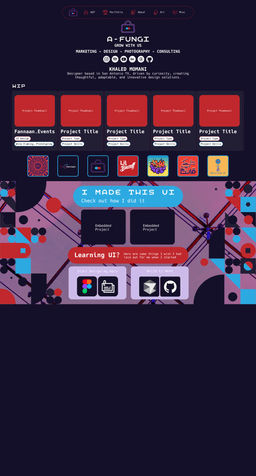
You can look to see my initial progress on this website, titled "Unpacking Figma," and linked in the UI section below. I went through a convoluted process of figma to code. I worked within the restraints of a budget and found an interesting yet incredibly difficult to implement solution. I found that the animations and assets all grouped on one page were incredibly heavy when it was implemented. I did more research and found out about Github Pages. It allowed for a robust and well built static website. For parts of my website that were previously dynamic, I am able to add iframe embeds that remain unaffected by the constraints of Github Pages. I then learned about Cursor AI and vibe coding. I started using Cursor as a developer and learned a lot from there. I tested out my initial design, just beginning its implementation was making my laptop cry in pain. I decided to move to a different less heavy approach, now that my previous limitations were gone. I pushed my first idea to the greenhouse and started with something more feasible.
Figma Resources
Beginner Guides: Quick Rundown, Components1, Components2, Prototyping, Animation, Comprehensive Rundown. Best Practices: Figma best practices. Reference Guide: Root Layout Structure, Header Components, Navigation Components, Main Content Components, Section Components, Footer Components, UI Components, Interactive Components, Media Components, Typography Components, Utility Components, Variant Suffixes, Responsive Variants. Types: Layout Types, Container Types, Grid Types, Flex Types, Spacing Types, Navigation Types, Menu Types, Breadcrumb Types, Header Types, Page Types, Content Types, Card Types, List Types. Naming Conventions: PascalCase, descriptive names, grouping, prefixes, purpose-based, variant suffixes. Organization: Feature-based, consistency, parent-child, logical patterns.
Cursor AI Resources
Tools: CursorAI, Next.js, CursorFigmaMCP, SVG to JSX, Free Code Camp, Figma Sites. Getting Started: Discussion, Step-by-step plan, Design creation, Component breakdown, Scaffolding, Figma devmode, SVG assets. Tips: Ruleset, Jargon, Naming layers, Animation steps, Adjusting values, Patience, Free code camp.
Deployment Resources
Tools: Vercel, Next.JS, Figma Sites, Github Pages. Ready to Deploy? Vercel compatibility, Github Pages static sites.